
Ubiquiti LiteAP Sector
The confusingly named LiteAP (LAP-120) is a very good, cheap 120' sector antenna. 120' means you need three to get a full 360'. It used to be called a LiteBeam 5AC AP LBE-5AC-16-120, and is still named that on parts of their website.
We use it as a sector antenna for most hub and supernode installs. As with all Ubiquiti gear you need to flash it with the latest firmware first.
The AC in the name is not 802.11ac, it is Ubiquiti's own "AirMax" protocol. These devices can only connect to other Ubiquiti "AC"AirMax" devices like theLiteBeams, LiteBeamNanoBeams, wePowerBeams mount on everyone's roof.etc.
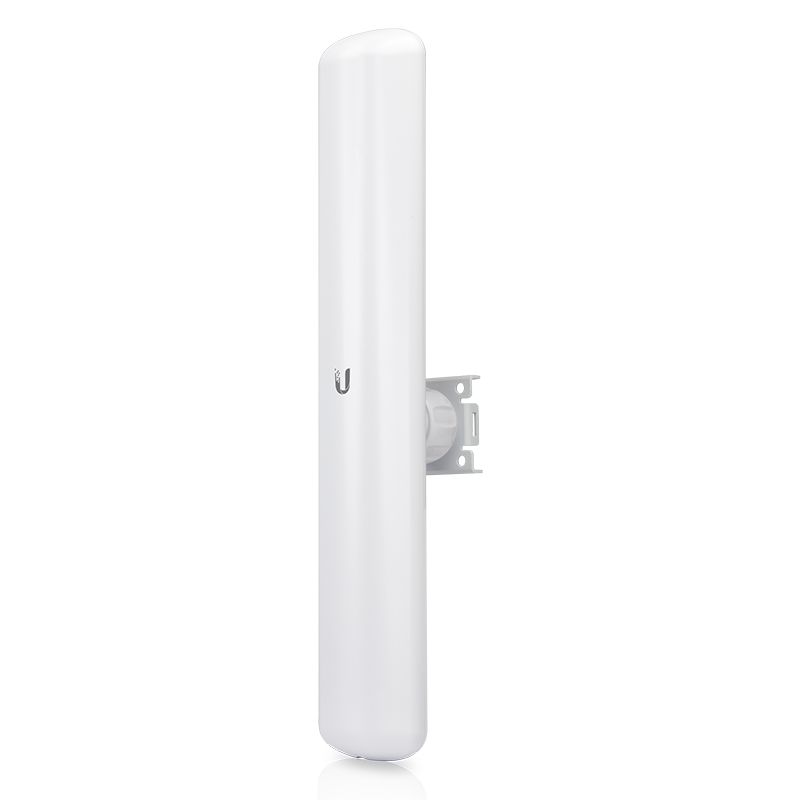
Device specs are available at ubnt.com.
Configuration Instructions:
LiteAP 120 sector standard configuration
Connect to the LiteAP GUI. Upgrade the firmware to the version recommended on Ubiquiti Firmware.
The default IP of a factory reset unit is https://192.168.1.20/. Username: ubnt Password: ubnt
In Wireless set the following settings:
5220,5225,5230,5240,5260,5265,5270,5275,5280,5285,5290,5295,5300,5305,5310,5315,5320,5325,5330,5485,5490,5500,5505,5510,5515,5520,5525,5530,5535,5540,5545,5550,5555,5560,5710,5740,5745,5750,5755,5760,5765,5770,5775,5780,5785,5790,5795,5800,5805,5810,5815,5820,5825,5830,5835
(This is extremely important. Due to FCC regulations in NY, we need to make sure to not use any channel overlapping 5590 - 5677)
choose a center frequency that's different then other antennas in the area or on the same hub. (sector, litebeam, powerbeam, etc ...) Wireless Security: WPA security personal / Preshared key: nycmeshnet TDD framing: Flexible (or Flexible (new) depending on firmware) ReSE ONIn the advanced wireless settings:
In Network set:
In Services:
In System set: