
Hubs
Hubs are nodes that provide connectivity for other surrounding nodes in a neighborhood.
The definition of "what is a hub" is very loose, as with our mesh architecture, almost any node in the network can be a hub.
Hubs are generally created organically, where a node gets installed, and then has other nodes connected to it over time.They come in three different sizes: small, medium, and large. These categories are not strict, and you will find many variants in the field. You can modify your hub to suit your needs and the needs of other mesh members in your area
Omni Hub
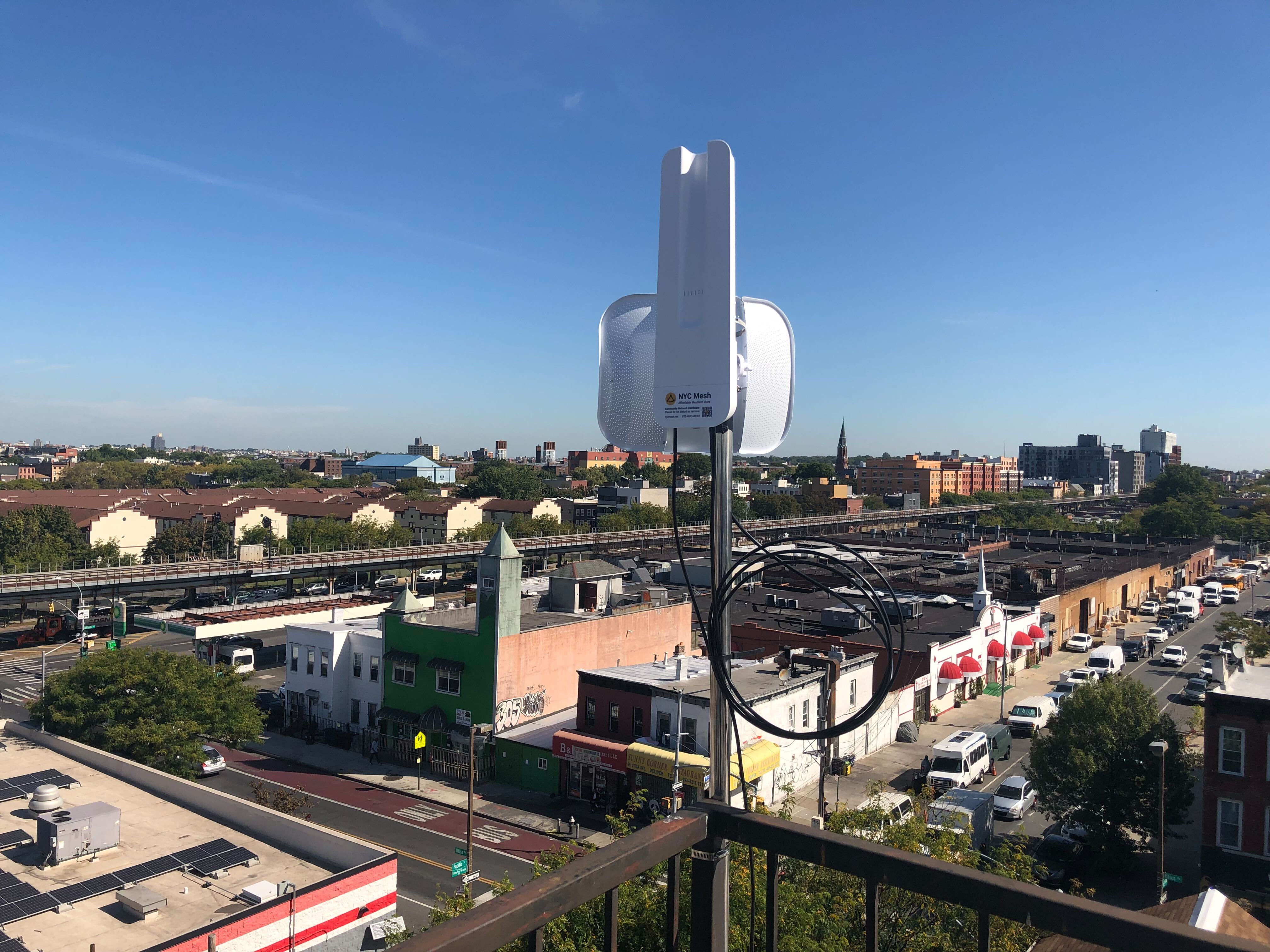
(Pictured: A typical Omnitik plus Litebeam install on a rooftop somewhere in the city)
The smallest possible hub is any NYC Mesh node with an OmniTik 5 POE ac.
on the roof.
With a LiteBeam AC connected to a sector antenna at another hub or supernode to give it a reliable uplink connection, the OmniTik can then serve nearby nodes that have OmniTiks, SXTs or other compatible equipment using a 5GHz wireless connection.
With the standard OmniTik config installed on the omni, any other nearby Omni's will connect automatically with WDS.
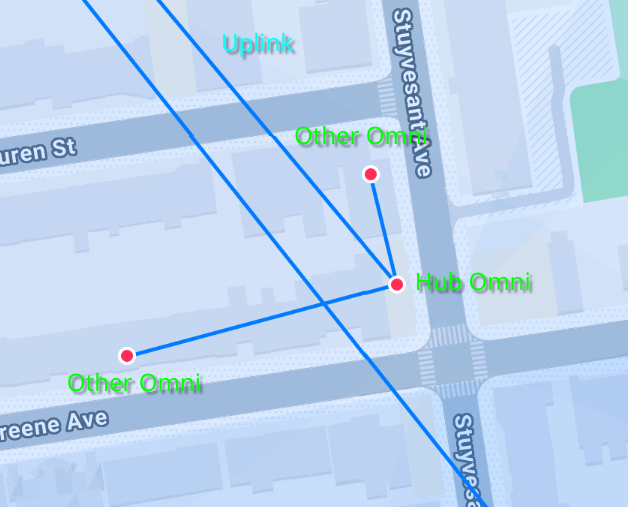
A standard Omni hub can handle up to 250mbps or so of maximum bandwidth. This is a limitation of the CPU routing capacity of the Omni. If higher bandwidth is required, routing can be offloaded to a different device like an SXT,SXT, which has a more powerful CPU.
This configuration (often called "router on a stick") is commonly used for hubs that have a higher capacity uplink antenna,antenna thatand are able to handle gigabit connections one the Omni routing limitation is solved.connections.
Hub with Sectors
ForThe first upgrade for a more robust small hub thatis cantypically serve more nodes, you can addadding one or more LiteAP AC sector antennas. Each LiteAP has a 120° coverage area, so three will cover a full 360° around the building. AThese sector antennas allow Point to Multipoint (PtMP) connections for nearby building at a further distance away than is possible with an Omni antenna.
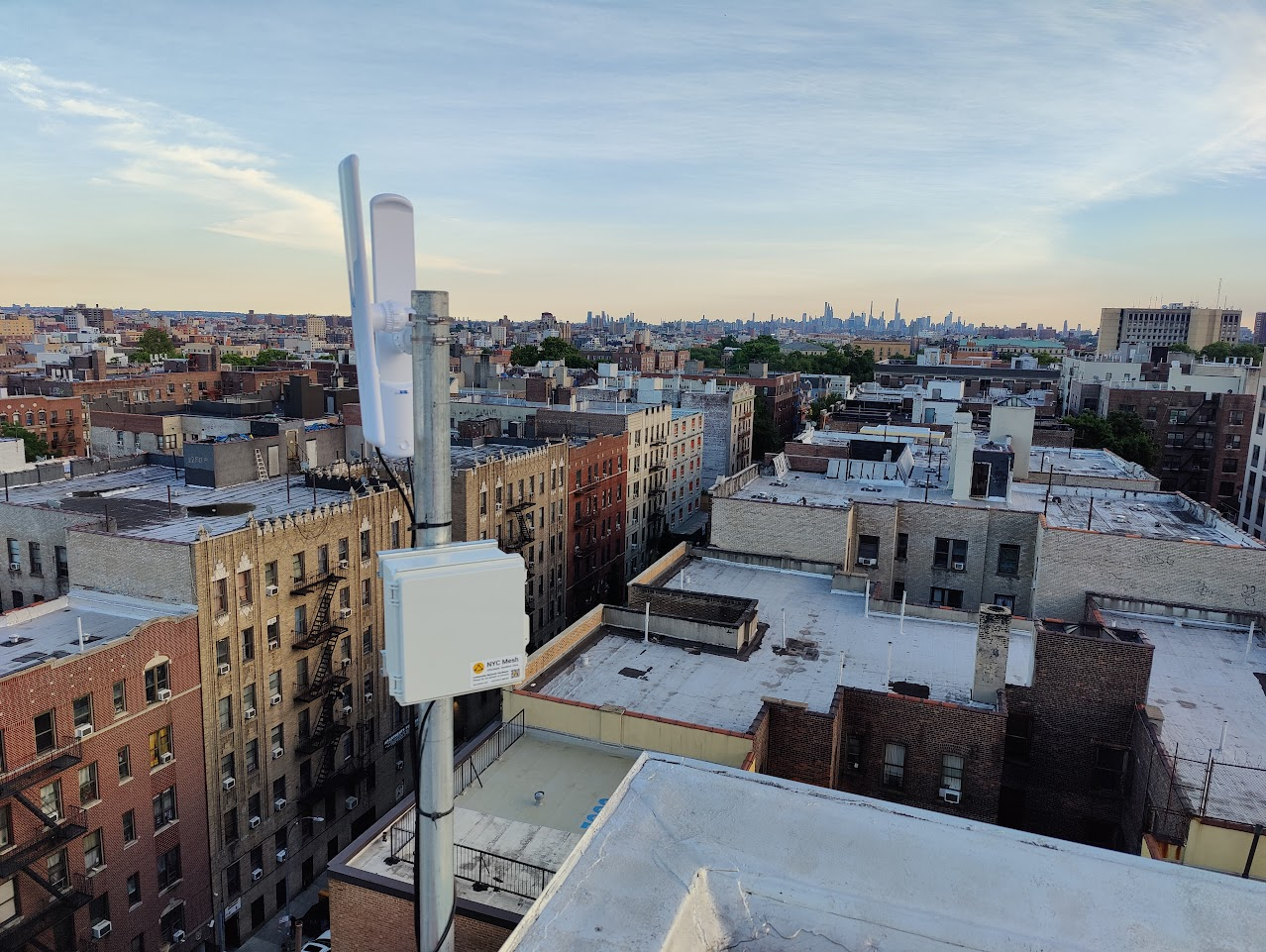
(Pictured: Lily House hub in the Bronx with threesector LiteAPsantennas andon the roof)
The number of sectors deployed depends on the expected directions from which other nodes are expect to connect. Generally we try to cover 360°, however if directions are blocked by trees / other buildings we can leave out those directions. Splitting sectors up in different locations around the roof is also common. 1 sector antenna on each corner of a LiteBeamsquare usesroof fouris a common deployment.
Many hubs with sectors are on prominent buildings that are much higher than the surrounding rooftops. These tall buildings are preferred to allow the greatest number of possible connections, however long term sustainability of the OmniTik’snode, fiverooftop ethernetaccess ports.and Thethe fifth can serve your apartment.
If partnumber of your roof is blocked, you can use fewer sector antennas, which leaves more ports for connecting your neighbors to the mesh. You can make a point-to-point connection with your LiteBeam or with an SXTsq 5 to get a higher bandwidth link to another hub. Adding an outdoor switch such as a NanoSwitch, EdgePoint , EdgePoint R8, netPower Lite 7R or netPower 15FR will give you more Ethernet ports to serve more apartments. If nobodymembers in your building needs service, you can have three sectors and two point-to-points or three point-to-points and two sectors.
A medium hub can support more than five radios and forward more traffic than a small hub, without requiring the building are also factors that are taken into consideration when deciding candidate buildings to provide indoor space for equipment. It consists ofbecome a weatherprooflarger enclosurehub.
Large Hubs / Backbone Nodes
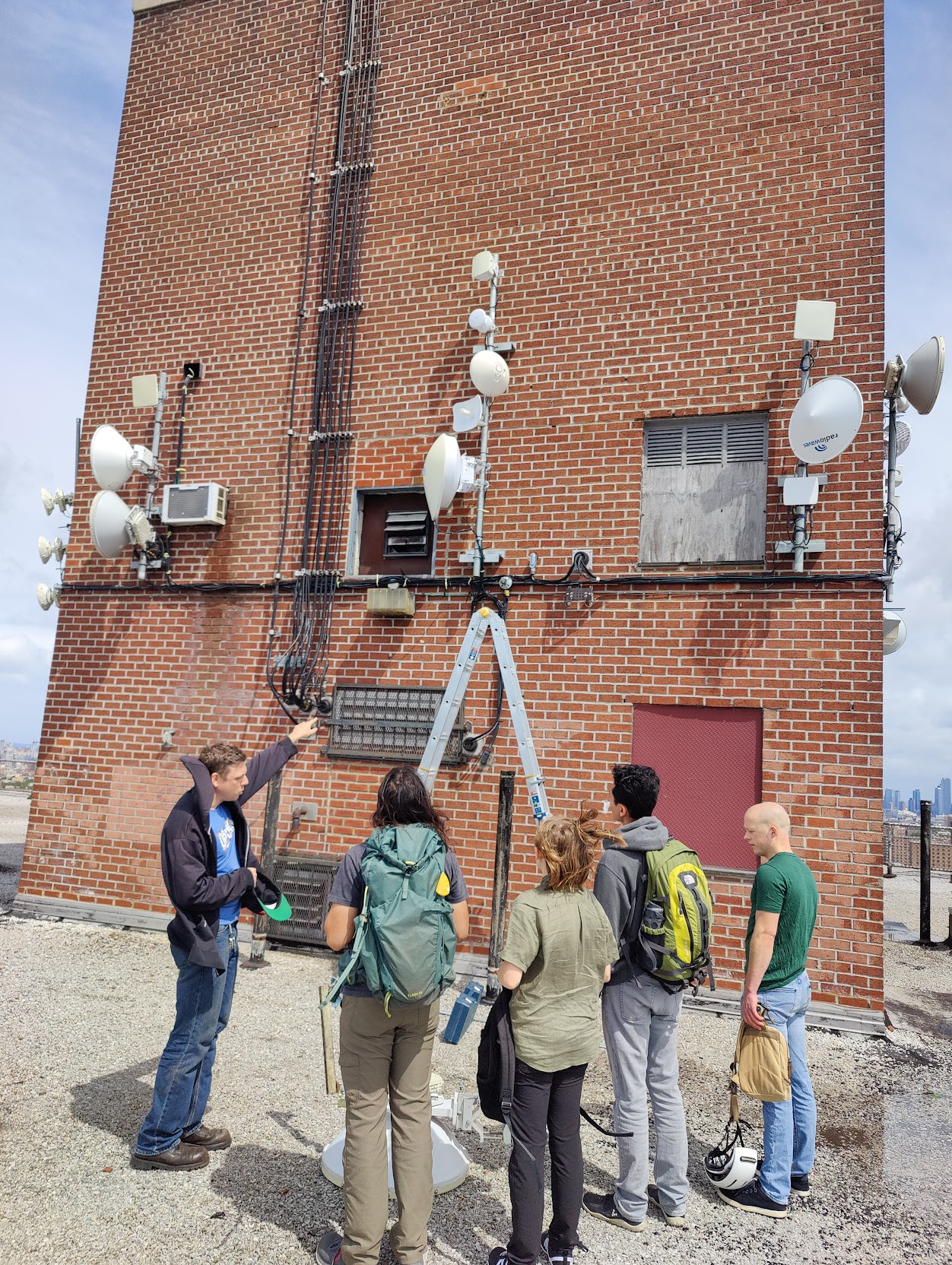
(Pictured: Many antennas on the roof withof ACVernon powerHub andin a non-wireless router. The ethernet ports on the router are used for sector antennas and point-to-point links – which can be either Ubiquiti airMAX radios like the LiteBeam AC or higher capacity airFiber.Brooklyn)
MediumLarge hubs are somewhatthe rare.backbone It’s difficult to find routers with enough Power over Ethernet ports to power allof the antennas,mesh andnetwork. puttingThese hubs support hundreds of members often convering a large numberarea encompasing numerous neighborhoods.
These large hubs are outfitted with multiple high speed links to other hubs, capable of PoEcarrying injectors1Gbps+ inof atraffic. weatherproof enclosure can be impractical.
MediumThese hubs canare supportalso 7-8usually antennasequipmed onwith apowerful budget, ideally for less than $1,000. The RB1100AHx4 is a router that can be used at medium hubs.
Large
AroutersA large hub is both more flexible and more expensive than a medium hub. It requires an indoor panel with AC power. The wired router is mounted on the panel indoors, and an outdoor PoE switch like the EdgePoint S16 is mounted on the roof. The router and the switch are connected using either copper or fiber. Having a separate router and switch lets you use a router with fewer ports, which gives you a lot more options for which router to use.
Equipment at the panel uses AC power. The outdoor switch uses DC power brought up to the roof from a power supply like the EP-54V-150W, which is mounted at the panel. The antennas are powered by the outdoor switch. Power usage can be in the hundreds of watts.
Routers used at large hubs include models from the Mikrotik CCR1009 series and CCR1036 series, as well as standard PC servers running Linux. Large hubs may have more than one router.
Supernode
A supernode is a BGP-capable large hub. It’s the interface between the mesh and the public internet.
Supernodes are located in data centers so that they can be connected to an internet exchange point or directly connected to other ISPs. These interconnections are mostly made with fiber. Supernodes exchange routes with ISPs using BGP. They perform NAT to translate addresses from the mesh’s private 10.0.0.0/8 network into public IP addresses, and inject a default route into the mesh so that nodes on the mesh know how to reach the internet.
Backbone nodes (sometimes still called Supernodes)
A backbone node is a supernode, but with no radio on the roof. It is attached to other hubs with fiber.
The buildings with the most abundant, cheapest opportunities to interconnect with other ISPs are not always the tallest buildings with the best lines of sight to surrounding neighborhoods. Building a backbone node at a location with inexpensive interconnection can save money by converting expensive supernodes into large fiber-attached hubs.
Fiber-attached hubs
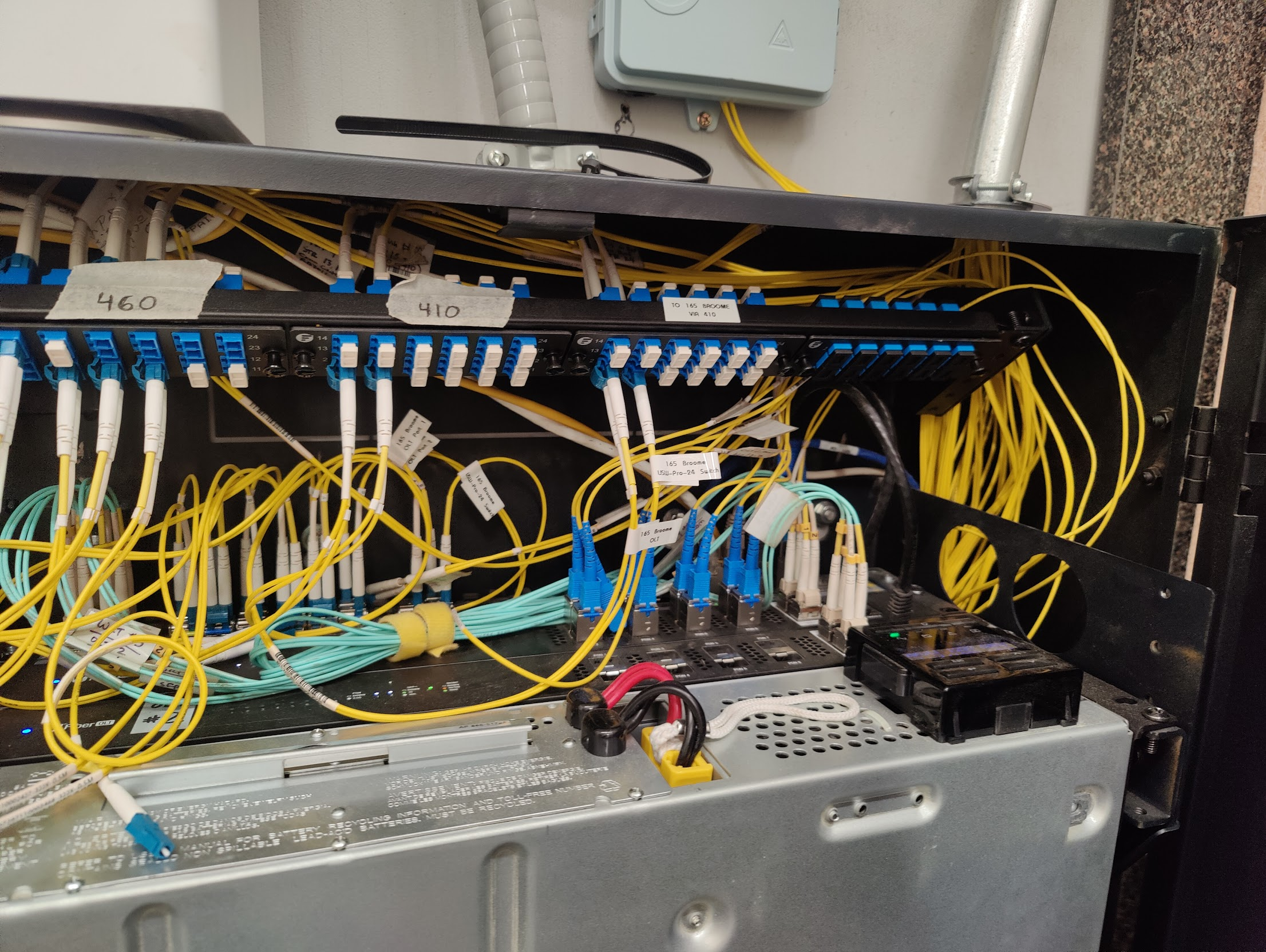
A fiber-attached hub is a hub of any size connected by fiber to a supernode or backbone node.supernode.
Currently,Most hubs in the mesh network are connected to other hubs and supernodes using a combination of point-to-point and point-to-multipoint radio links. Radio is susceptible to signal loss caused by rain, snow, and interference from other nearby radio transmitters. TheHubs connected with fiber are immune to issues caused by wireless signal loss and are therefore more radio links your data has to traverse before it reaches a wired connection, the higher the oddsreliable that youwireless experienceconnected service loss.hubs.
Ideally, every large or important hub in the network would be a fiber-attached hub. This would mean that everyone with line of sight to a hub would only have one wireless hop that’s subject to interference and signal loss, substantially increasing reliability. To do this, the mesh would need to lease or get donations of dark fiber that run underground between each hub and a supernode or other large / backbone node.
Supernode
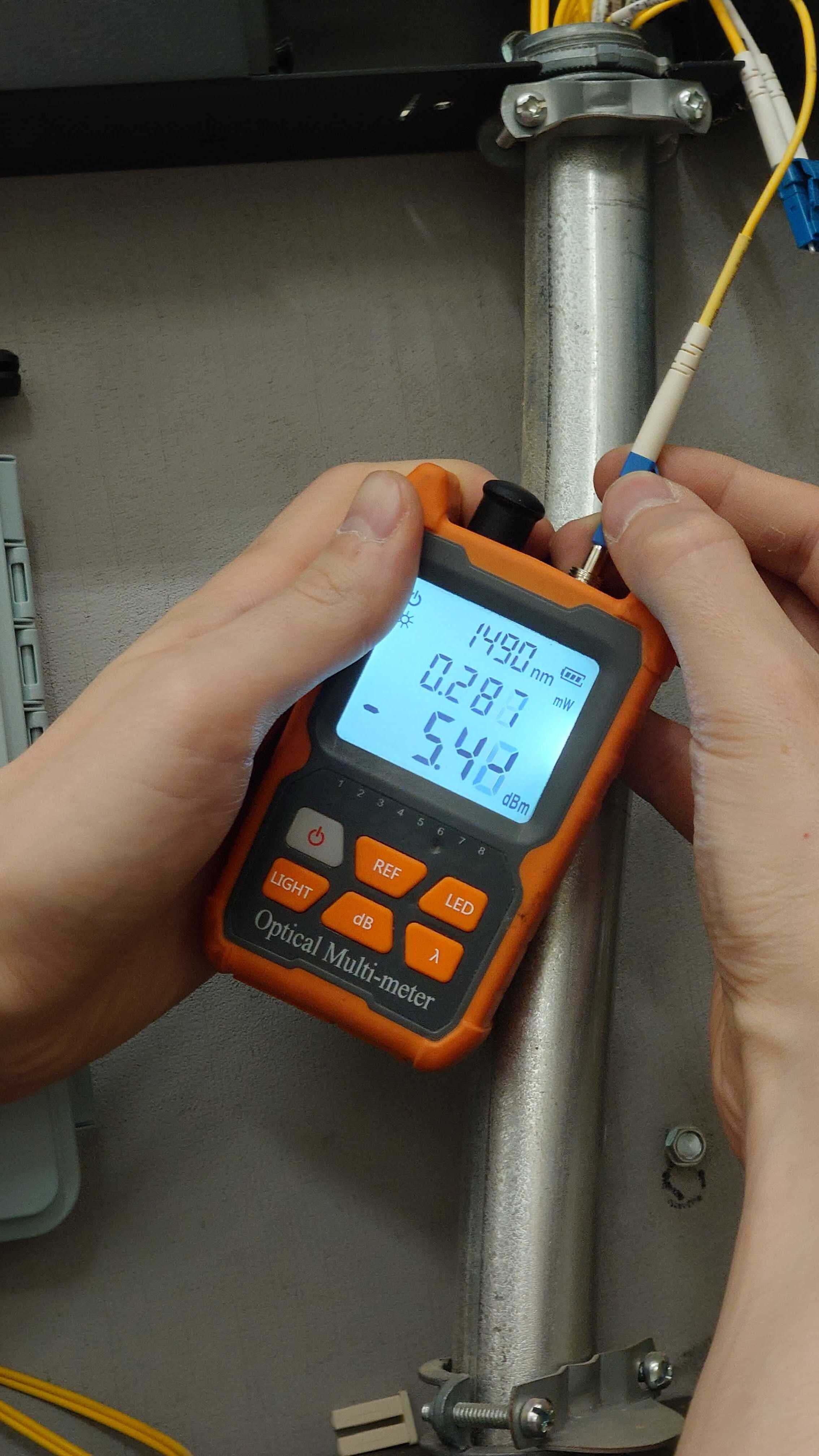
Supernodes are where NYC Mesh's network connects to the greater internet. They may or may not have antennas on the roof and may have fiber connections to other nodes on the network.
Supernodes are located in data centers so that they can be connected to an internet exchange point or directly connected to other ISPs. These interconnections are mostly made with fiber. Supernodes exchange routes with ISPs on the internet using BGP. They perform NAT to translate addresses from the mesh’s private 10.0.0.0/8 network into public IP addresses, and inject a default route into the mesh OSPF routing so that nodes on the mesh know how to reach the internet.