
Aligning a LiteBeam
Here are instructions for aligning your LightBeam after you have mounted the LiteBeam (LBE) securely.
You will need the Ubiquiti UISP App, available from the Apple App Store or Google Play Store.
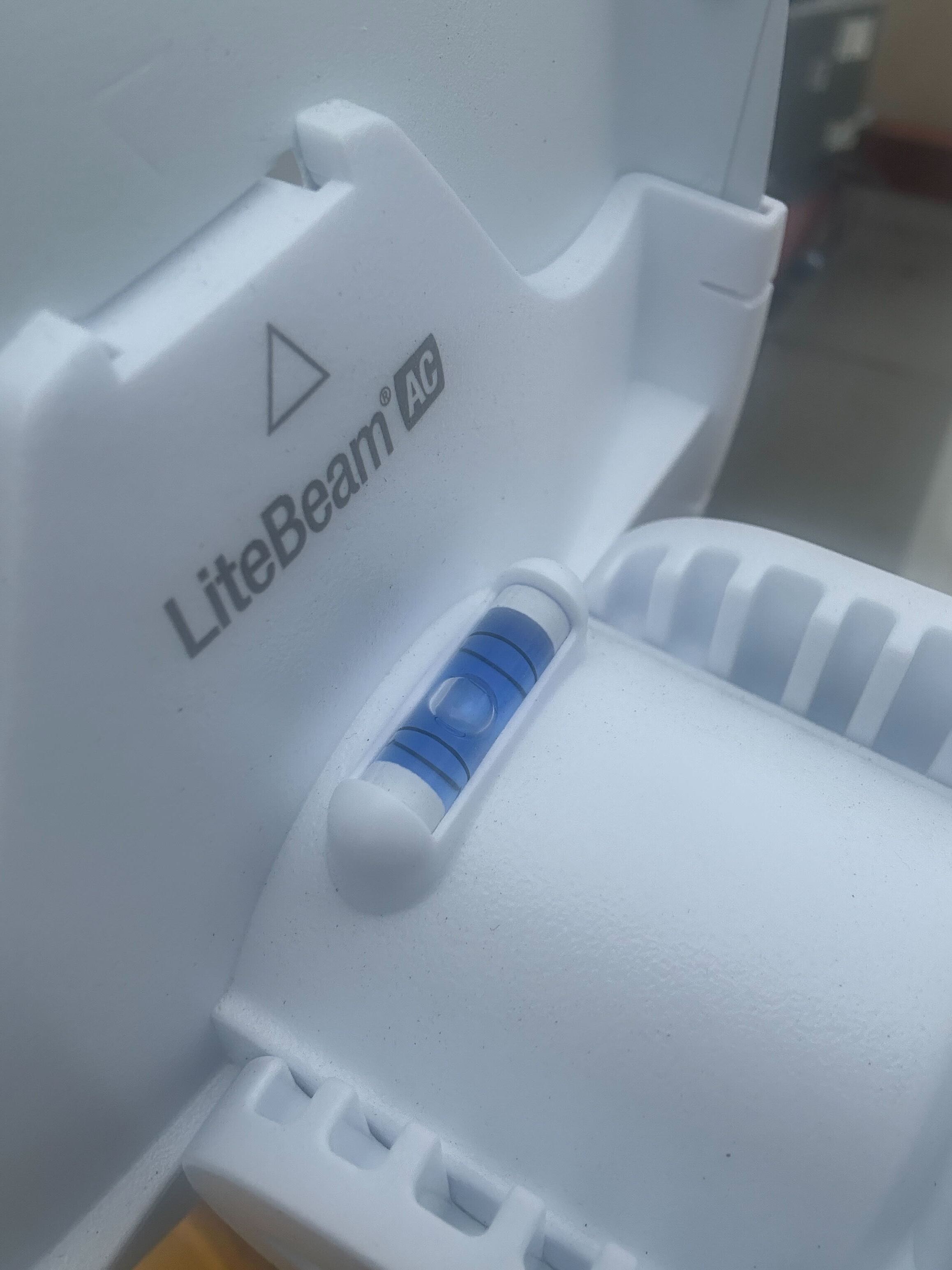
- Make sure the bubble in the level on top of the LBE cone is centered.
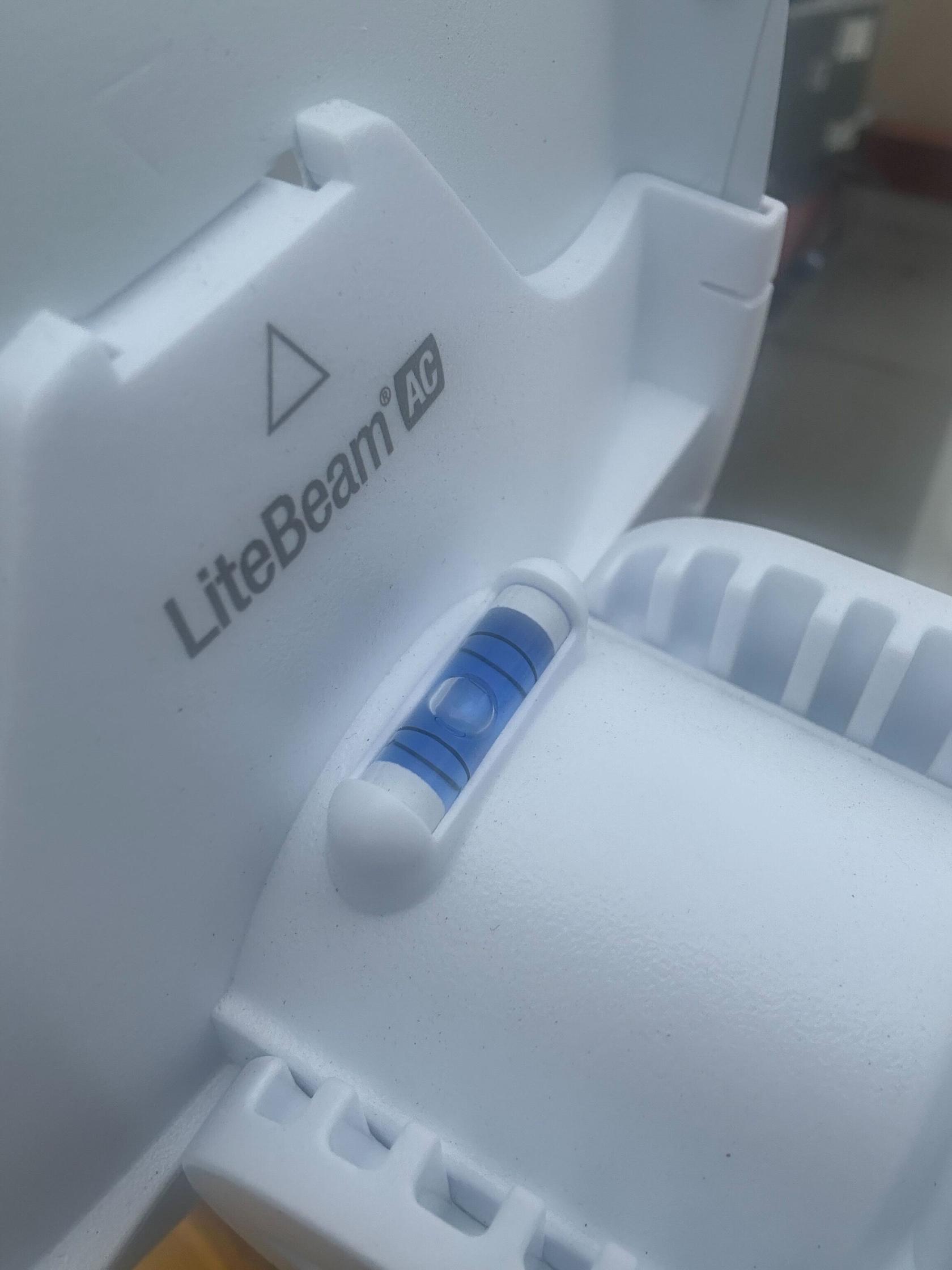
- Activate the management Wi-Fi by powercycling the LBE:
unplugUnplug the ethernet cable and replug, either from the bottom of the LiteBeam or its port on the Omni (on most installs this is the rightmost port, ether5)- Or you can post on Slack #diy-install-support, and one of us might be able to turn on the management interface remotely for you (saves waiting for a powercycle).
- Once you've turned on the management Wi-Fi, it remains available for a limited amount of time (usually 15 minutes). If it disappears while you are aligning, repeat the previous step.
RunOpen the UISP appfromon your phone.OnAfter it scans, click on your LiteBeam and sign in with thebottomprovidedofcredentials.
(Postscreen,inthere#diy-install-supportisontools/alignment.Slack if you need the credentials.)
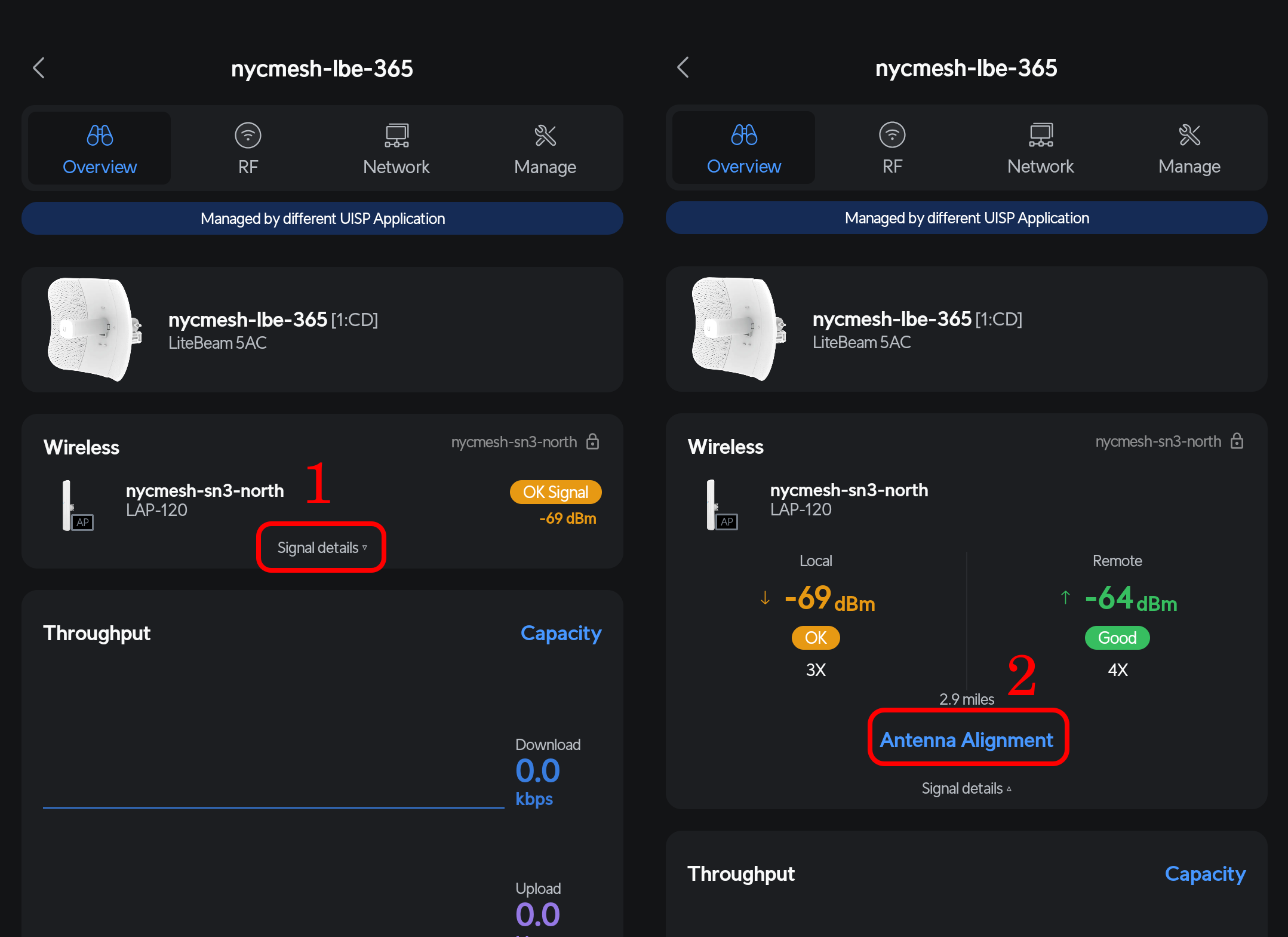
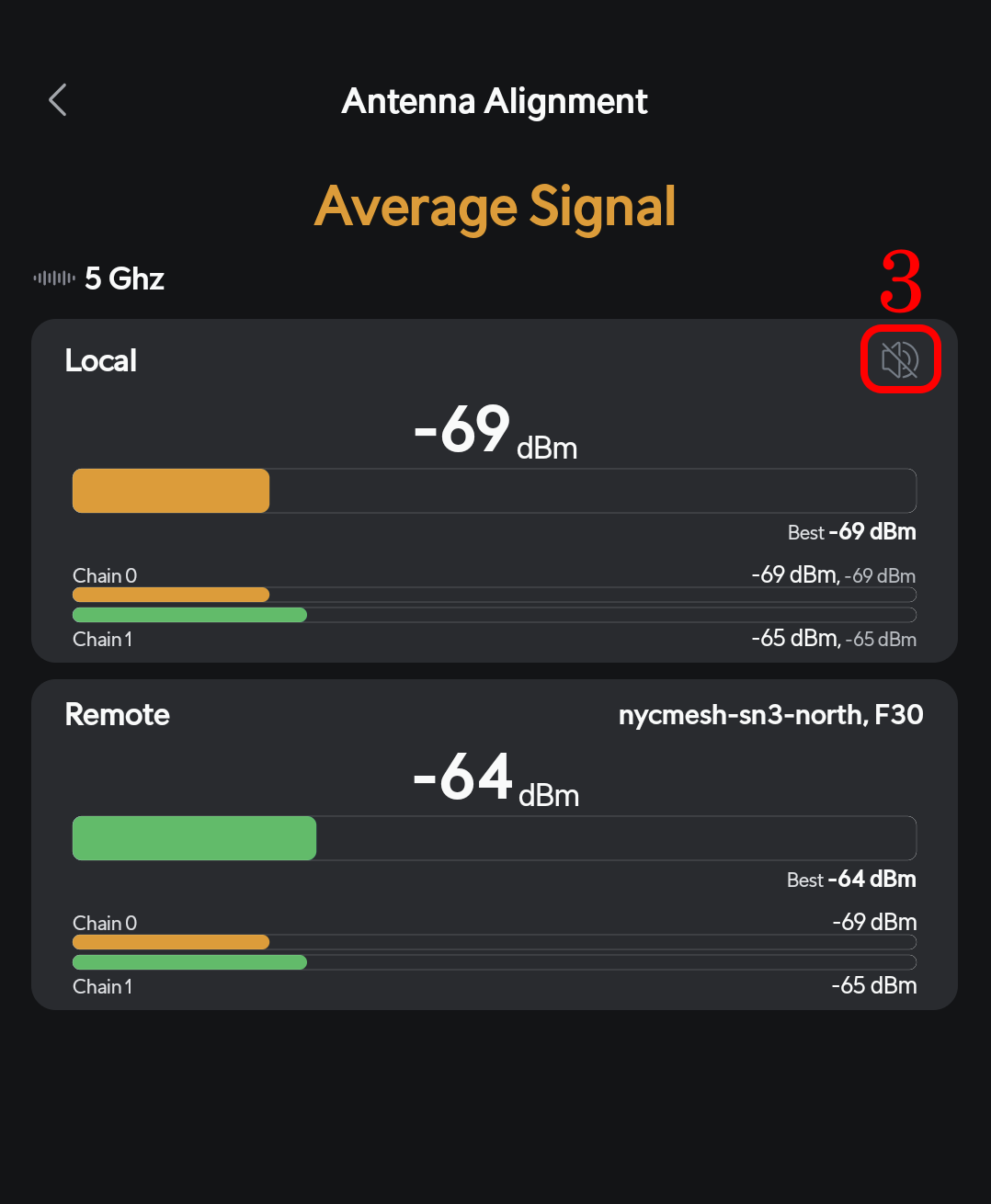
Loosen the LBE's wingnuts to adjust its alignment, and tighten securely when done.
You are aiming for the strongest signal in each direction (vertical/horizontal).
Signals of -50's are excellent, -60's are ok and -70's are poor.
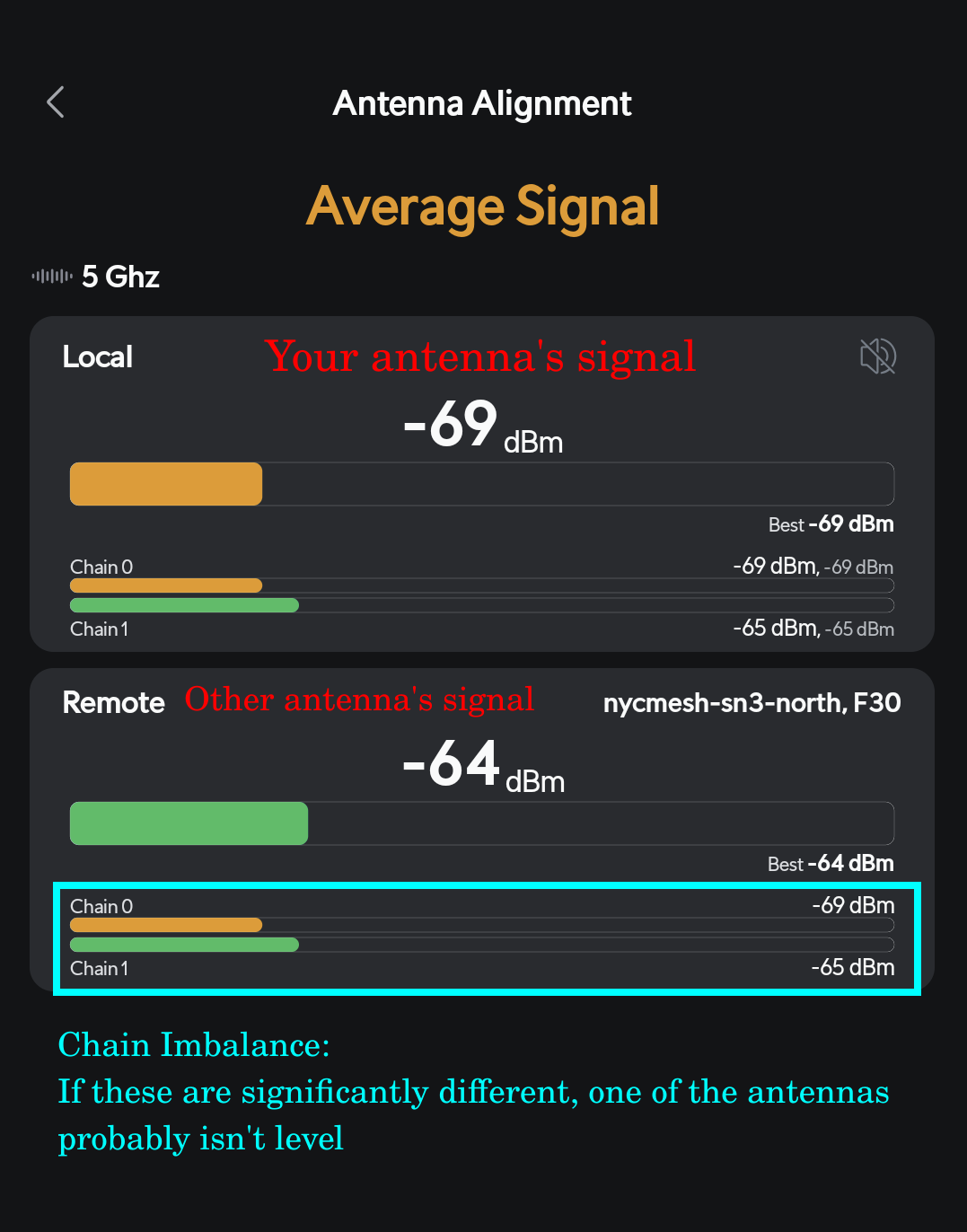
Re-verify that the bubble in the level on top of the LBE cone is centered.
This LiteBeam Quick Start Guide from ui.com may help: pages 14-19 cover the alignment procedure.