
Typical Installs
Please read our FAQ if you haven't already.
The intention of this page is not to be technical but rather give to the non-technical person an understanding of a typical installation.
General Mesh Network Layout:
The NYC Mesh network is a hybrid "over the air" and fiber network. We use a combination of fiber optics cables buried in the street and wireless links between rooftops to build the network across the city. The majority of our network is wireless, with a backbone of fiber links primarily between our data centers and major buildings.
The aim of our network is to connect rooftop to rooftop across the city,rooftop, using different types of equipment based on geography and topology. Using this mix of technology, we aim to expand the NYC Mesh network coverage from block to block across the city. The idea of NYC Mesh is to share the connectivity with neighbors, share resources, share equipment, share the network. Create a community of communities connecting to each other.
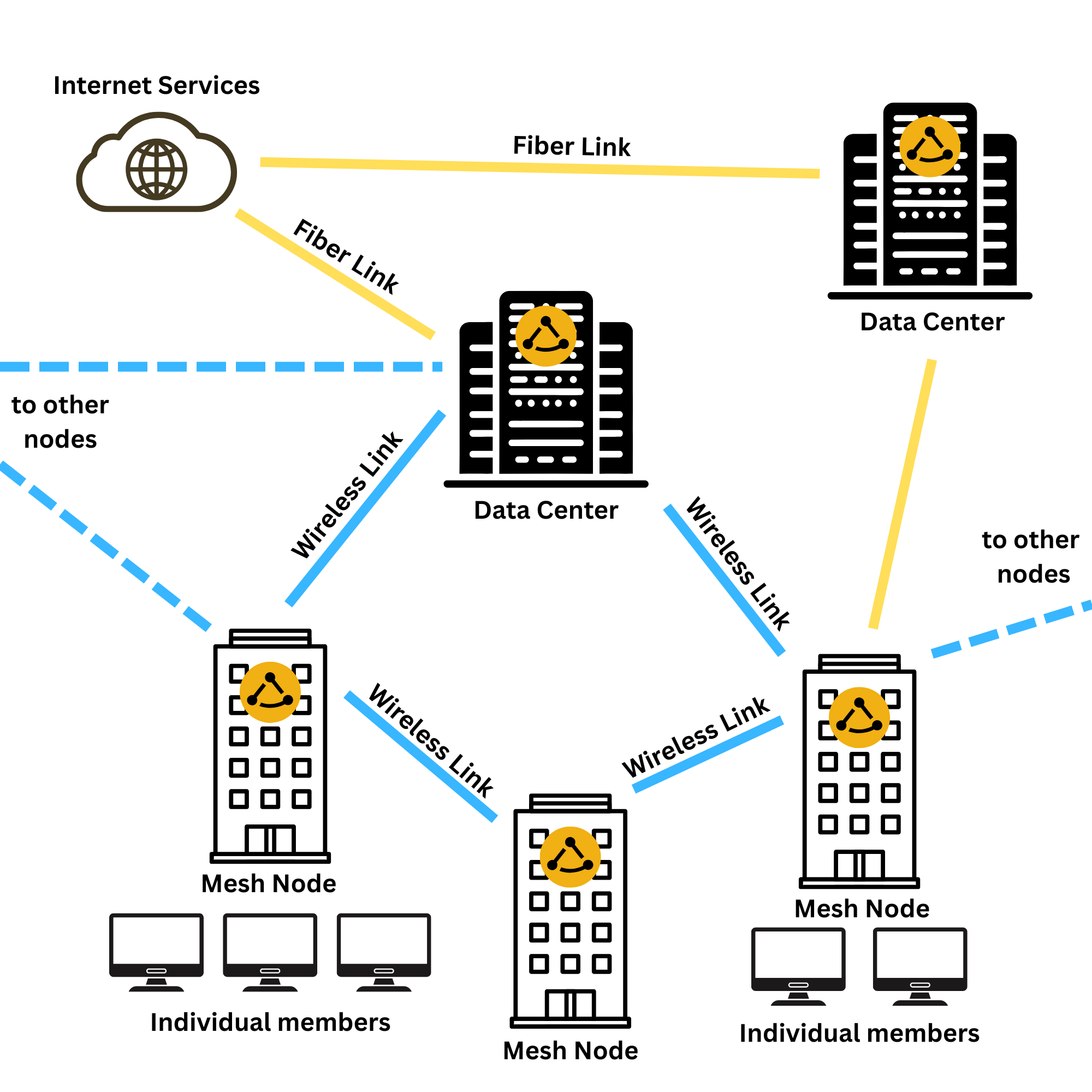
NYC Mesh typically uses two categories of equipment.equipment:
-
In the first category is equipment that "speaks" AirMAX (AirMax protocol).
Some hubs and supernodes have antennas covering a sector, or 360°, that "speak" AirMax. To connect to those, you need to install on your roof an antenna that understands that same AirMax protocol (see Ubiquiti equipment).In addition, some hubs may as well have antennas of the second category. -
The second category of equipment uses the same
wifiWiFi as your home router, 802.11 (there are different versions of wifi- 802.11a/b/g/n/ac) (see Mikrotik equipment). Any device should be able to connect to this "standard WiFi" network, though we typically use Mikrotik devices at both ends of the connection.
*Note: In some cases, such as large buildings we may use fiber to connect but would setup a rooftop "hub" to expand the network to surrounding neighbors.
Rooftop Installs:
Installs - Typical Mesh Rooftop Node:
AMost typicalNYC meshMesh installationinstalls are generally pretty similar for most building. There are two setups usually deployed, depending on ahow rooftopthe has a LiteBeam antenna, whichbuilding connects to athe LiteAPrest sectorof antennathe onnetwork, either with or without a nearbyLiteBeam.
Both hub.Anstyles of installs use an Omnitik router is placed on the roof, which provides short range wireless connections to nearby buildings and serves as the main router for that node. Cables are then run down the building to member's apartments, where a home WiFi router provides a WiFi network for the member to which they can connect their devices.
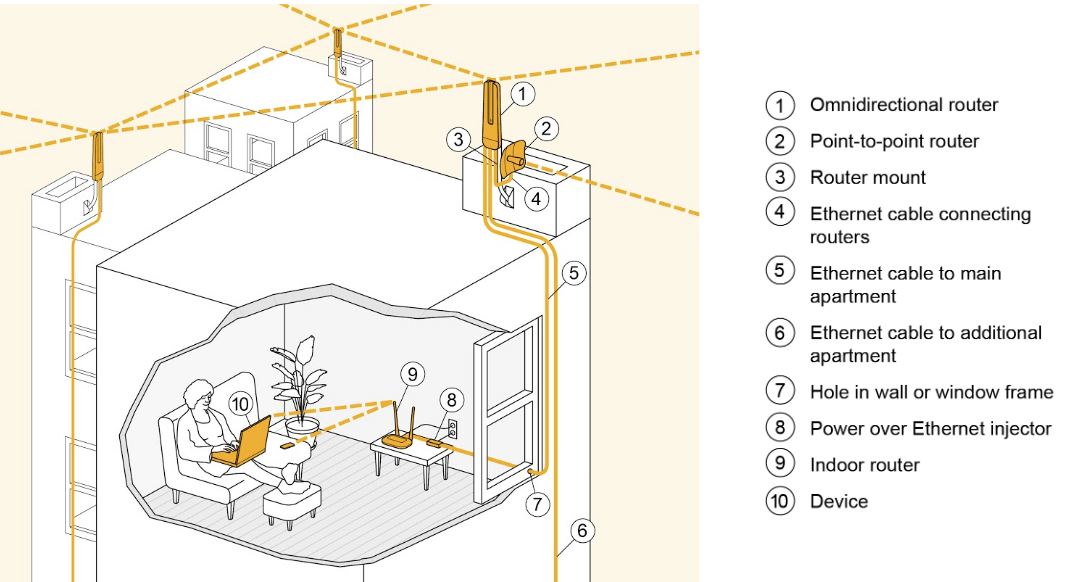
Omnitik + LiteBeam rooftop node
IfThe anothermost typical NYC Mesh node setup is nearby,a sometimesrooftop onlywith an Omnitik plus a LiteBeam.
This type of node uses a LiteBeam antenna to connect to a LiteAP sector antenna on a nearby hub.
One cable runs to the Omnitikroof from the apartment, which plugs into the Omnitik. The LiteBeam is required.Anplugged Omnitikinto isanother mountedport (typically port 5) on the roof,Omnitik, which connectsprovides it with anotherpower.
The rooftop setup is powered from a member's apartment via a POE injector that sends power up the cable to the roof. Usually this POE is in the first apartment connected to the mesh, but is sometimes moved as people move out or if there is a better location available.
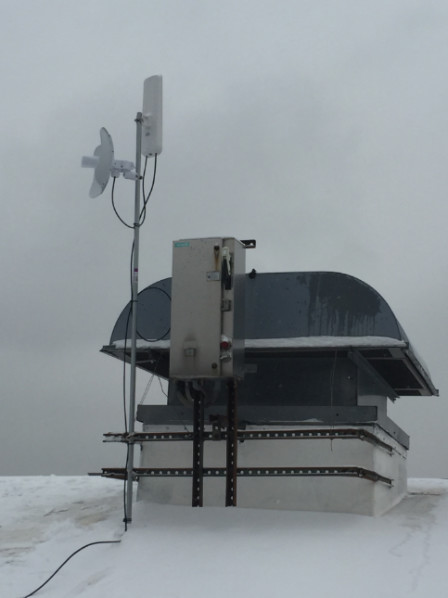
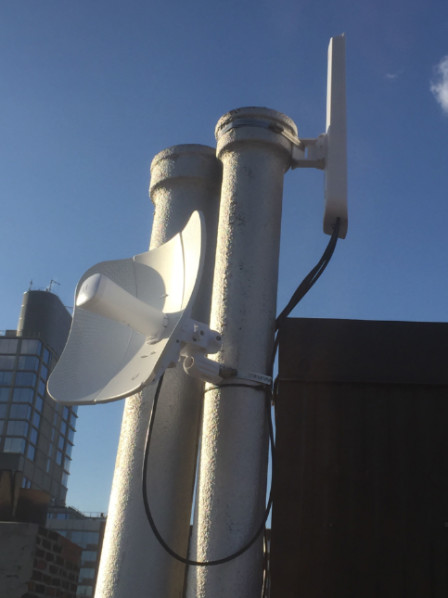
For a technical breakdown of the routing and IP structure of this node, see Typical Install Technical Diagrams page
"Omni Only" rooftop node
Nodes which are located next to an existing node withinmay 1-2sometimes blocks.be installed without a LiteBeam. We call these nodes "Omni Only" nodes, as they rely on their nearby neighboring nodes for their connection.connection Manyto Omni'sthe rest of the network.
In the example below, nodes A, B and D have LiteBeams that connect to a nearby hub, while node C is "omni-only". Node C relies other nearby nodes to connect to the rest of the network (while also serving as an intermediate "bridge" node between A,B and D).
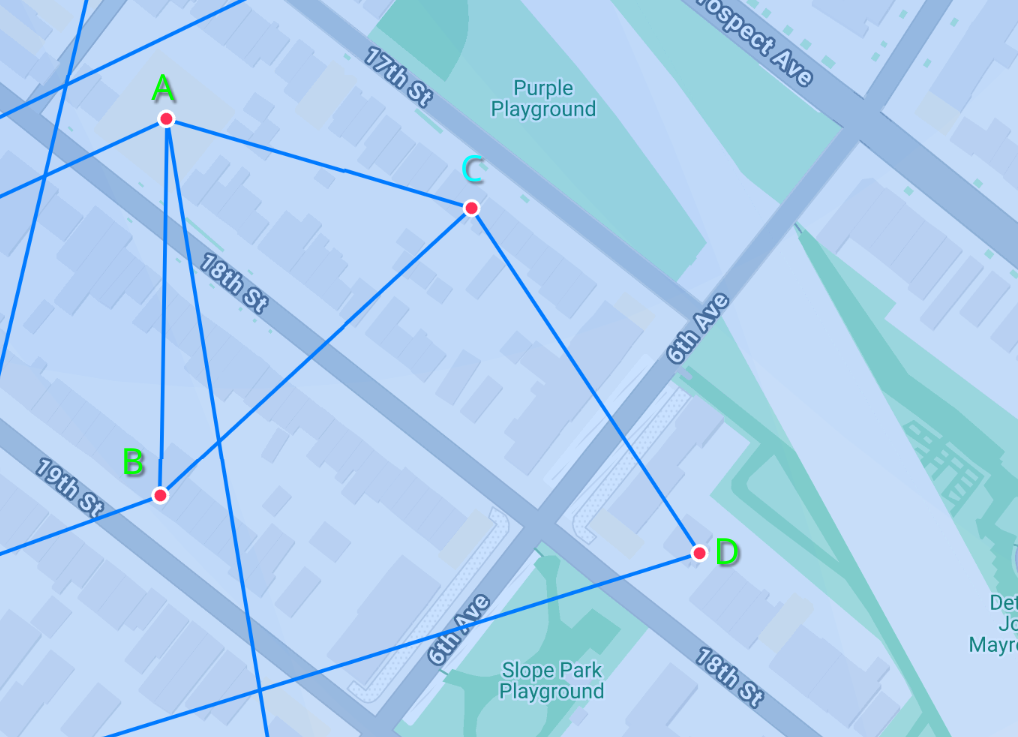
Generally we try to ensure there are at minimum two nodes with LiteBeam in aneach area"cluster" canto formensure there is a cluster,backup sharingif theirthe connectionsmain withuplink eachnode other.goes down.
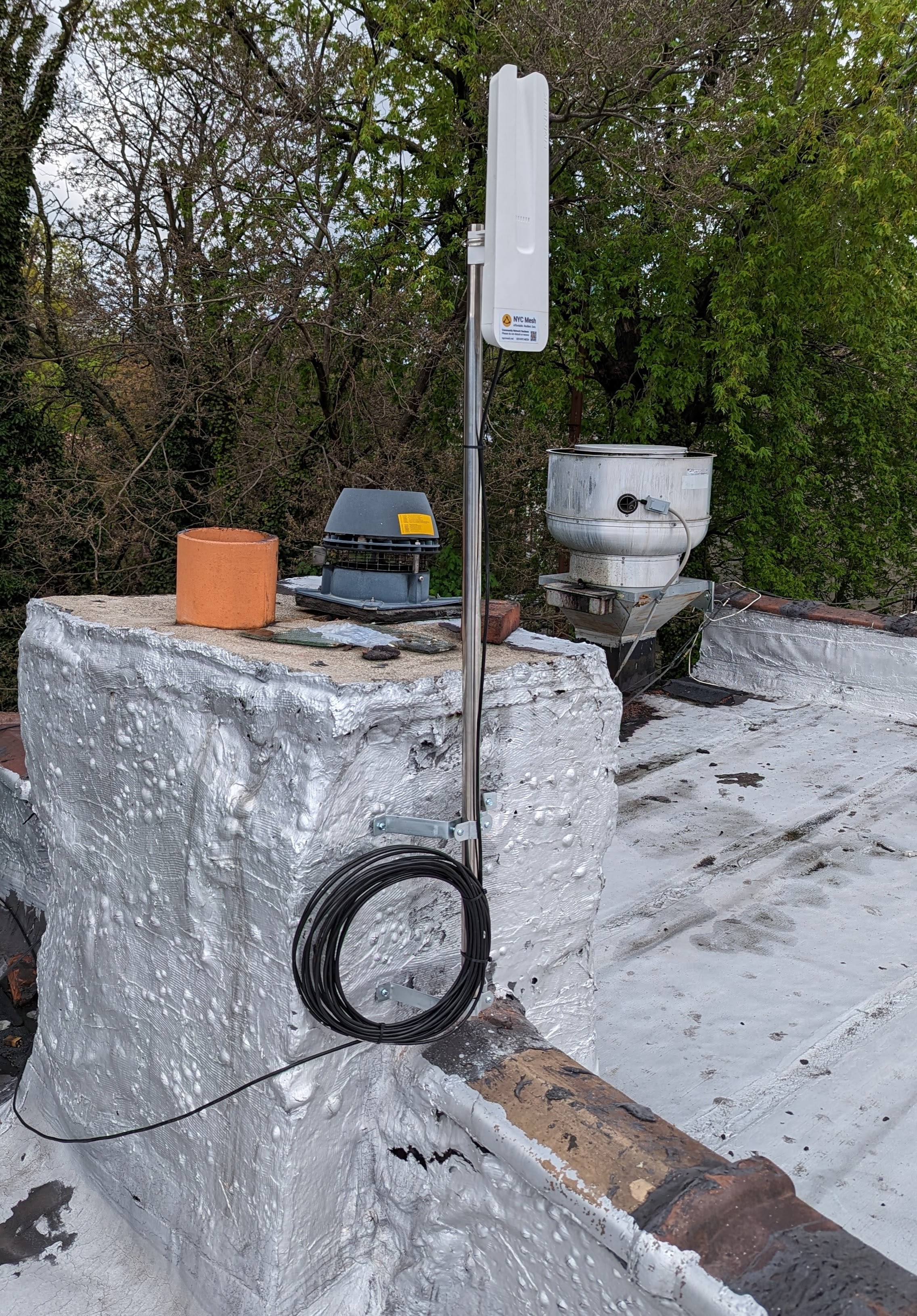
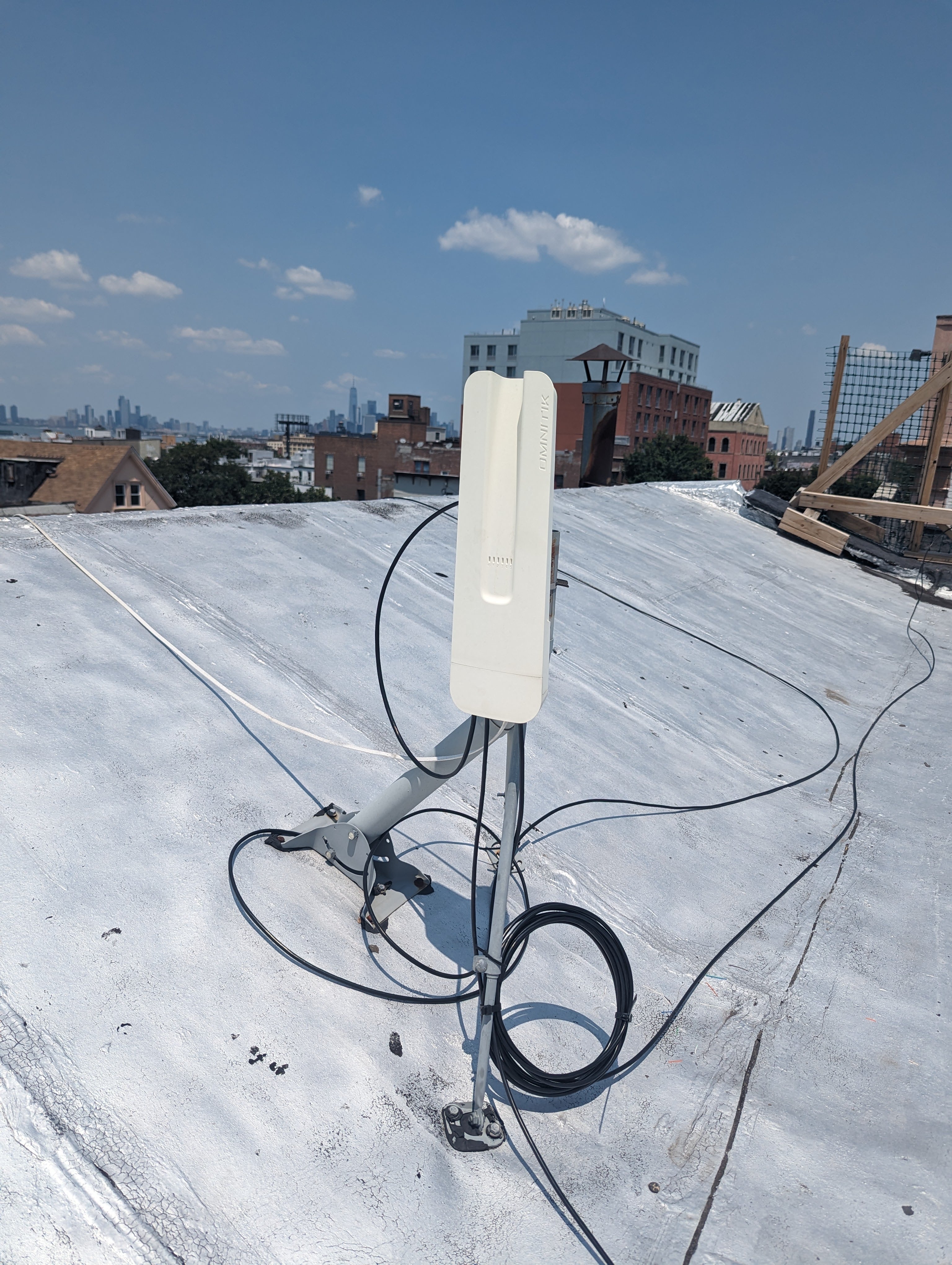
Here is a omni-only install on a rooftop.
See this page for a technical diagram about how the routing works for an omni-only install 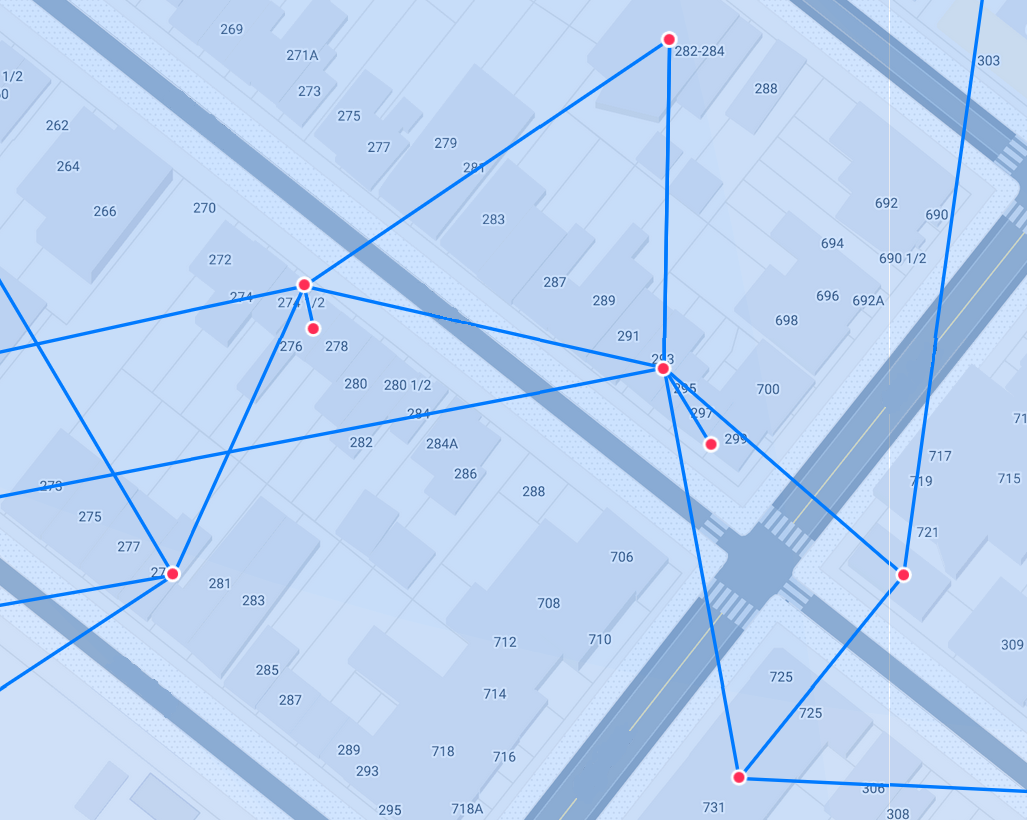
Larger building / hub installs
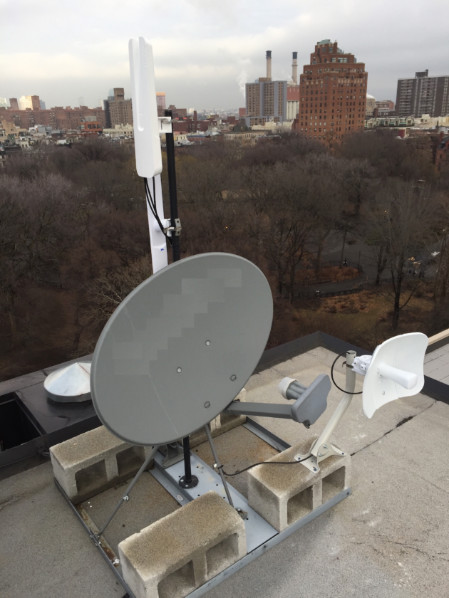
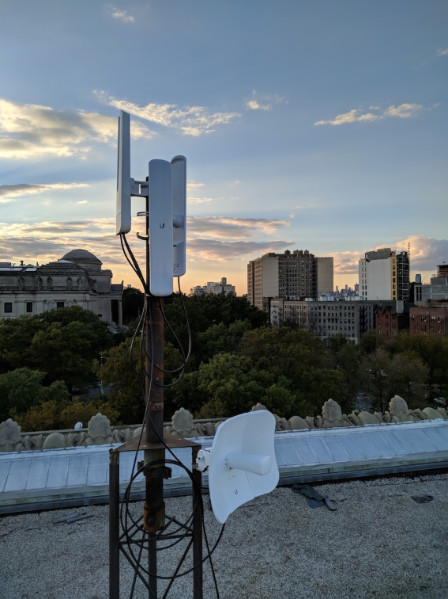
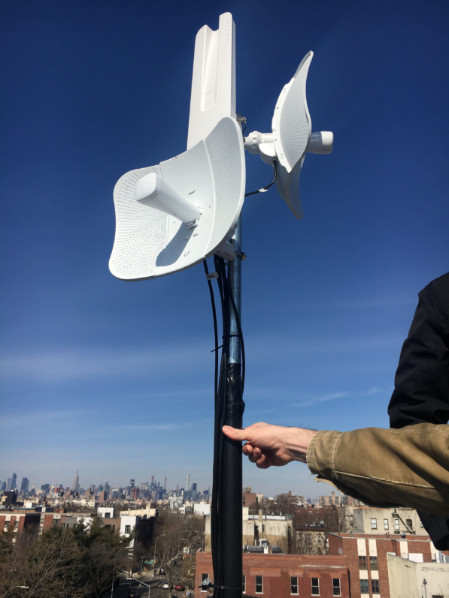
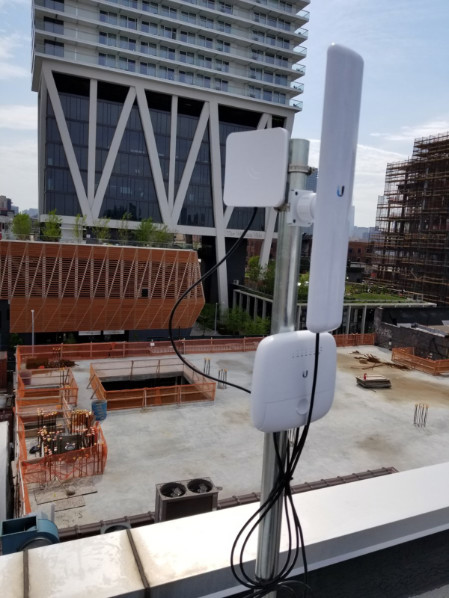
A good rooftop can be "beefed up" to allow for more connectivity.If the rooftop is valuable to the mesh (at a good location, it's high enough, etc) we may install "sectors" or other type of equipment. Sectors are antennas that communicate via Ubiquiti's AirMax protocol and allow other buildings with LiteBeams to connect.We may also install additional higher bandwidth antennas and additional network switches to support buildings with a higher number of members.
Here are four examples.
Attaching the equipment:
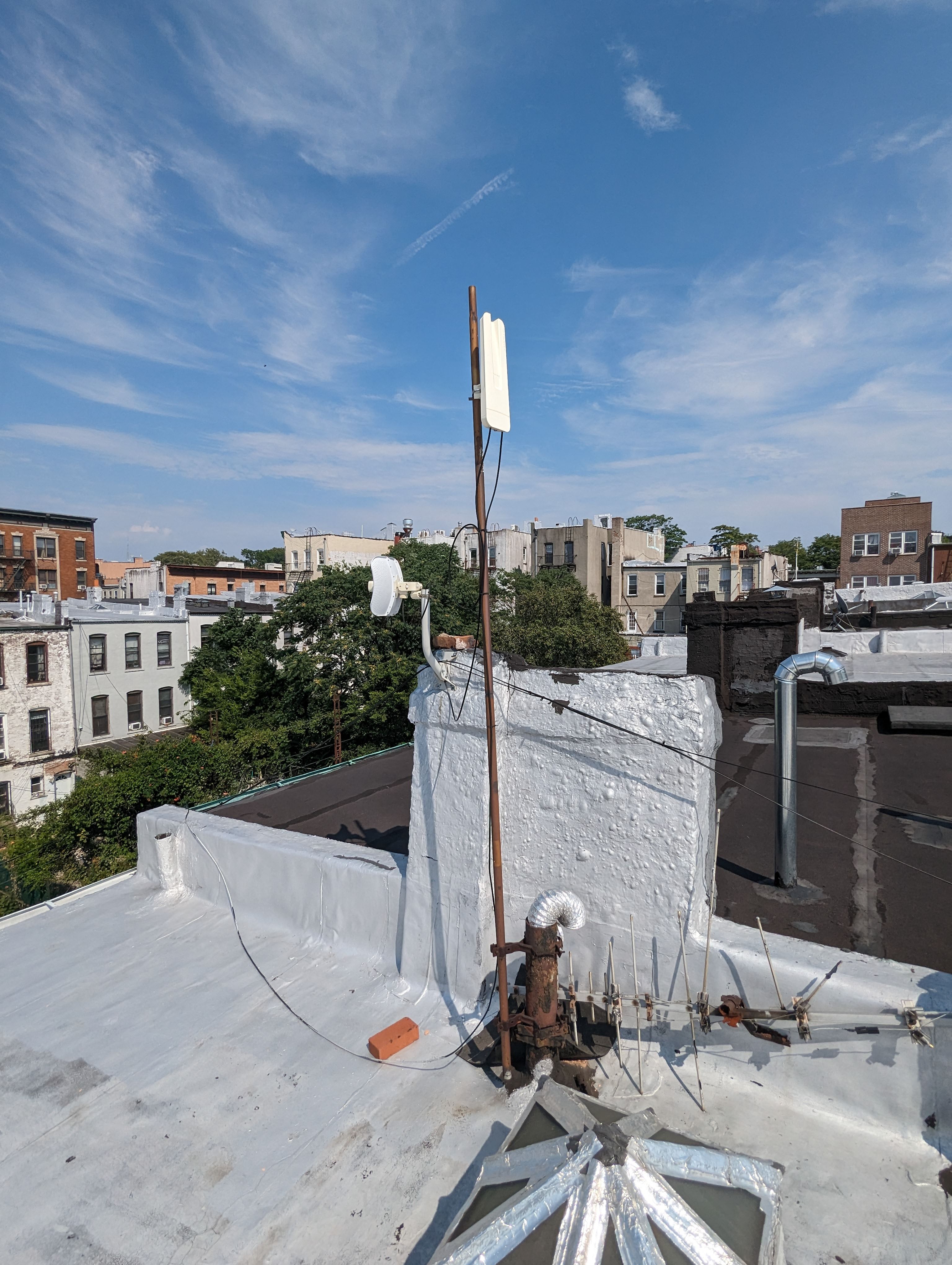
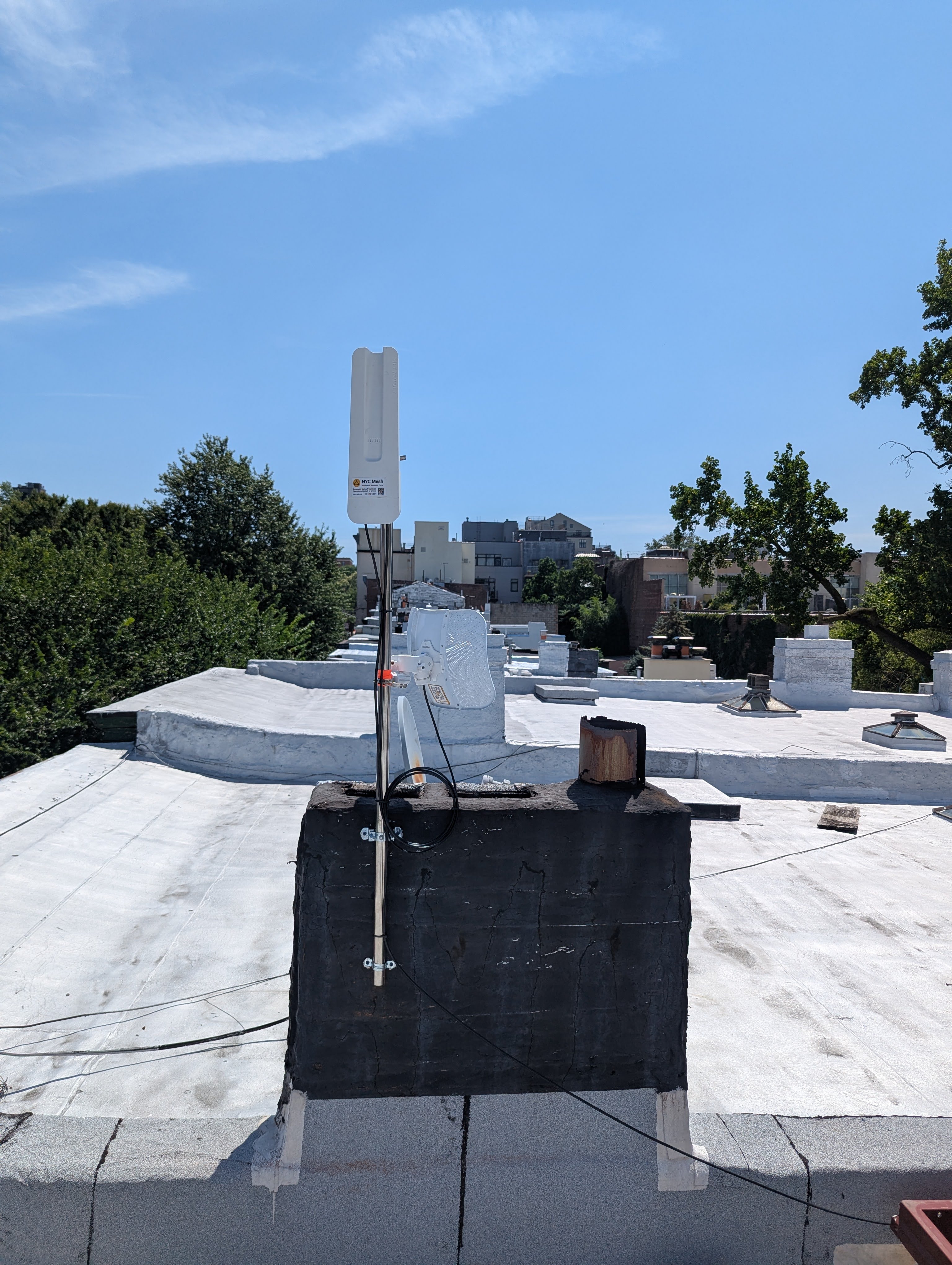
Depending on the roof environment and what is available, mesh antennas can be mounted to the roof in a number of ways.
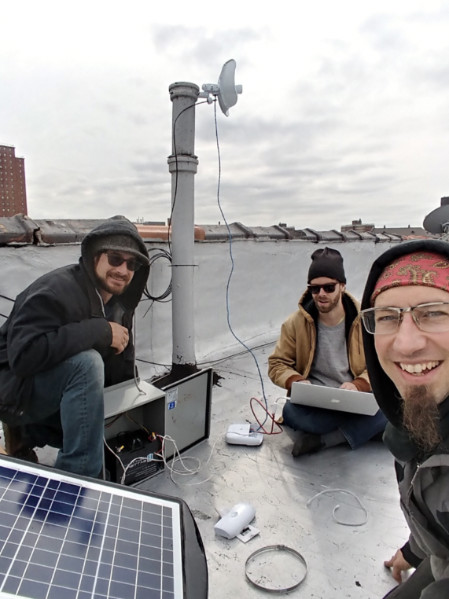
Many times, existing TV antenna masts, satellite dish mounts or other existing brackets can be re-used, so we do not need to drill new holes to mount the antennas. All the antennas in the images below were mounted to previously abandoned existing mounts and brackets on rooftops.
In some cases, when there's no suitable existing mount that can be reused, we may need to drill holes and attach a new mount.
This is always done with the permission of the landlord or homeowner and steps are taken to seal any holes that are drilled to avoid leaks in the future.
Holes are drilled in chimneys, bulkheads or walls and never into the roof surface / waterproof membrane itself.
Mounting
A good rooftop can be "beefed up" to allow for more connectivity.
If the rooftop is valuable to the mesh (at a good location, it's high enough, etc) we may install additional antennas togetherto provide coverage to other nearby buildings or separately:build
Often,additional antennasbackbone arenetwork mounted together, so the LiteBeam and Omnitik are on the same pole.
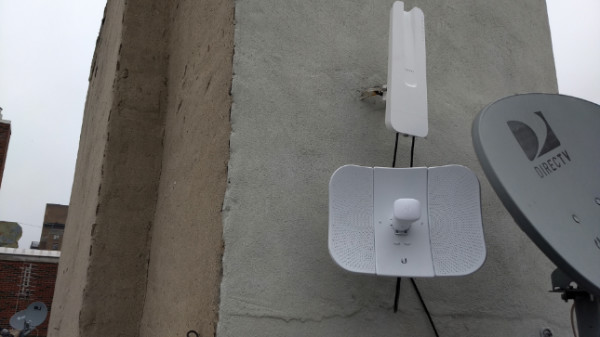
Sometimes, it makes more sense to place the different antennas in different areas of the roof.For example, one end of the roof might have less tree obstructionsroutes for the LiteBeam,network.
We butmay wealso wantinstall additional higher bandwidth antennas and additional network equipment to Omnitiksupport atbuildings thewith othera endhigher number of themembers.
Here soare thefour cableexamples runsof buildings that have been upgraded with additional equipment to apartmentssupport canmore beconnections.
Fiber Connected Buildings:
SectionMany inlarger progressmesh buildings are now being connected with "Fiber to the Home" (FTTH) connections. This means there a dedicated fiber cable running under the street between one of our data centers and the building. This usually means that we've also connected the apartments with fiber as well, so that each apartment has a 100% fiber optic path all the way from their apartment back to our data center.
Full Building Installs (Sometimes called "Managed Installs"):
Section in progress